

Promo Timer Pro – WooCommerce Countdown Timer Plugin
February 26, 2026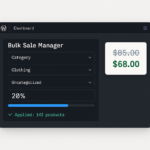
Bulk Sale WooCommerce – Bulk Sale Manager for Woocommerce products
March 14, 2026
Smart Link Pro – Automatic Internal Linking WordPress Plugin
19 €
Automatic Internal Linking WordPress Plugin — Set Up Once, Link Forever
Automatic internal linking WordPress sites used to mean hours of manual work — opening old articles, hunting for relevant posts, copy-pasting URLs one by one. Smart Link Pro eliminates that process entirely. You define a keyword rule once, and the plugin automatically inserts the right internal link every time that keyword appears in your content — on every post, every page, forever.
Whether you have 10 articles or 1,000, Smart Link Pro applies your rules across your entire WordPress site in minutes. New posts get linked automatically on save. Existing content gets updated with one click. Your internal link structure grows on autopilot — without you touching a single article.
Why Automatic Internal Linking WordPress SEO Cannot Ignore
Internal links are one of the most impactful and most neglected SEO techniques. Search engines use internal links to discover content, understand site structure, and distribute authority across your pages. Sites with consistent internal linking rank higher, get indexed faster, and keep visitors engaged longer.
The problem is that manual internal linking in WordPress doesn’t scale. You add links when you remember, skip them when you’re in a hurry, and never go back to fix old articles. The result is a site where most content is poorly connected — invisible to Google and ignored by visitors.
Smart Link Pro solves this with fully automatic internal linking. Define your keyword rules once and the plugin handles everything else — consistently, accurately, across your entire site.
Key Features of Smart Link Pro
⚡ Automatic Internal Link Insertion on Every Save
Every time you publish or update a post, Smart Link Pro scans the content and applies all active rules instantly. No extra steps, no manual work — automatic internal linking happens in the background every single time.
🔄 Bulk Re-link All Posts in One Click
Already have hundreds of articles without internal links? Click Re-link All Posts and the plugin processes your entire WordPress site in batches, with a real-time progress bar showing exactly what’s happening. Your whole content library gets properly linked in minutes.
📊 Usage Tracking Per Rule
Each rule shows a live count of how many posts currently contain that link. Click the badge to see a full list of every post — with direct Edit and View buttons. You always know exactly where your automatic internal links are active.
🎯 Post Type Targeting
Choose whether automatic internal linking applies to Posts, Pages, or both. The same setting controls which content gets processed during bulk re-linking — full flexibility over your WordPress site structure.
🛡️ Non-destructive by Design
Smart Link Pro never creates nested links and never inserts links inside headings (H1–H6). Your existing content structure is always preserved — safe to use on any WordPress site, any theme, any configuration.
⚙️ Full Settings Control
Control the maximum number of automatic links per post, enable first-occurrence-only mode, toggle case sensitivity, and choose whether links open in a new tab — all from a single clean settings panel inside WordPress.
How Automatic Internal Linking Works in Smart Link Pro
Getting started with automatic internal linking on your WordPress site takes less than two minutes:
- Install and activate the plugin — Smart Links appears in your WordPress admin menu
- Add a rule: type your keyword and select the destination page or post
- Click Re-link All Posts to apply automatic internal links to all existing content
- From that point on, every new post is linked automatically on save
Links are stored as standard HTML directly in your post content — not a shortcode, not a dynamic overlay. They work with any WordPress theme, any plugin, and any caching setup.
Built for WordPress SEO Best Practices
Smart Link Pro’s default settings follow Google’s internal linking guidelines out of the box, making automatic internal linking in WordPress both safe and effective:
- Maximum 3 links per post — prevents over-optimization penalties
- First occurrence only — avoids keyword stuffing in your content
- Case-insensitive matching — catches every natural variation of your keywords
- Skips headings — keeps your H1–H6 structure clean for search engines
What’s Included
- Plugin ZIP file — ready to install via WordPress admin
- Complete HTML documentation with full feature reference
- Lifetime updates — all future versions included
- 6 months email support
- Single site license
Technical Requirements
- WordPress 5.0 or higher
- PHP 7.4 or higher
- No additional plugins required
- Compatible with WooCommerce (link targets include products)
Stop linking manually. Smart Link Pro is the automatic internal linking WordPress plugin that grows your site’s SEO on autopilot — one setup, unlimited links, zero ongoing effort.
19 reviews for Smart Link Pro – Automatic Internal Linking WordPress Plugin
Related products
-
EU Legal Guarantee Notice for WooCommerce – Ready for 27 Sept 2026
25 €From 27 September 2026, every online store selling to EU consumers must show the official EU notice on the legal guarantee of conformity. This plugin puts it where it matters – before the order is placed and in the order confirmation email – without touching a single line of code. ✅
-
AI Product Descriptions for WooCommerce — Done-For-You Service
57 €Unique, SEO-optimized product descriptions for your entire WooCommerce store — written by AI, reviewed by humans, installed and configured by us.
You don’t touch anything technical. From 260 RON/year, new products included. -
Promo Timer Pro – WooCommerce Countdown Timer Plugin
19 €Create urgency and boost sales with beautiful countdown timers on your WooCommerce products. Increase conversions by up to 30% with FOMO-driven promotions. Simple setup, fully customizable. One-time $10 payment, no subscription.



Nathan A. (verified owner) –
Internal linking used to take me hours every week. This plugin automated the whole process. Set up keyword rules once and it links everywhere — perfectly.
Rebecca L. (verified owner) –
Perfect for content-heavy sites. I manage a blog with 500+ articles and this plugin saved hours of manual work. Links are inserted cleanly and naturally.
Mike T. (verified owner) –
Really useful internal linking plugin. Works well across all my pages and posts. The per-post limit setting is smart — prevents over-linking. Solid plugin.
Sophie G. (verified owner) –
I tested several auto-linking plugins and Smart Link Pro is the best. Clean code, no conflicts, keyword rules work exactly as expected. Recommended.
Paul K. (verified owner) –
My site SEO improved noticeably after installing this. Internal link structure is now consistent across 300+ posts. A must-have for any SEO professional.
Hannah W. (verified owner) –
I no longer manually add internal links when publishing. The plugin handles it automatically and works perfectly with Gutenberg. Total time saver.
Oscar R. (verified owner) –
Good plugin, runs reliably since day one. Set it up in 10 minutes and have not touched it since. Would like a dashboard showing total links inserted.
Amy C. (verified owner) –
I use this on every client site I build. Internal SEO linking is something clients always forget — this plugin handles it automatically. Great value.
Brian S. (verified owner) –
Keyword rules are easy to set up and the link insertion is natural-looking — not spammy at all. My SEO consultant reviewed it and approved it.
Julia N. (verified owner) –
Installed on a 1,000-post blog and it handled everything smoothly. No slowdown, no conflicts with other plugins. Finally a reliable auto-linker.
Carlos E. (verified owner) –
The rule-based approach is smart — I control exactly which keywords link where. No guesswork, no random links. Totally worth buying.
Ingrid H. (verified owner) –
Works well and is simple to configure. Great for SEO on content-heavy sites. My only wish is bulk import for keyword rules — would save time on large setups.
Tom V. (verified owner) –
I manage WordPress sites for 30+ clients. Smart Link Pro is now part of my standard setup. Clients love the improved internal linking on their sites.
Laura S. (verified owner) –
As an SEO specialist I have high standards for internal linking tools. Smart Link Pro meets them. Accurate, configurable, lightweight. A must-have.
Owen B. (verified owner) –
Internal links running across the entire site within 15 minutes of installing. The interface is intuitive and the plugin is completely rock solid.
Vera D. (verified owner) –
Automatic internal linking means every new article is immediately connected to relevant older content. This changed how I approach SEO on WordPress entirely.
Frank L. (verified owner) –
Solid internal linking plugin. The per-rule nofollow and open-in-new-tab options are exactly what I needed for managing affiliate and external links.
Christine B. (verified owner) –
I write 10+ articles per week. Manually adding internal links consumed too much time. Smart Link Pro solved that completely — set it and forget it.
Andrei V. (verified owner) –
Used on a news site with 2,000+ articles. Plugin handled the volume without any performance issues. Internal link coverage improved dramatically.